Shopify Ads Has a Relevance Score. It Decides What You Pay Per Click.
Shopify's relevance score controls your ad position and CPC. New apps start at zero on every keyword. Here's what it is, how it compounds, and the fix.
TL;DR
Shopify’s ad auction isn’t purely about who bids the most. It factors in your relevance score for each keyword, which measures how often merchants install your app after seeing it in that search. High relevance means lower cost per click and better positions, even when you underbid competitors. New apps start at low relevance across every keyword, which is why early campaigns underperform. The fix is to build your listing and reviews to a point where installs can happen reliably, then run ads so the flywheel has something to grab onto.
Who This Is For
Shopify app founders who have run paid ads, got underwhelming results, and can’t figure out why their spend isn’t producing installs.
The Core Problem
Most founders assume their Shopify Ads are struggling because their bids are too low or their targeting is wrong. The actual reason is often that their relevance score is at zero on every keyword, and they’re competing against apps that have been building that score for years.
When a merchant searches for an app, Shopify runs an auction to decide which apps to show and in what order. Most founders assume that auction is purely about bid price. It isn’t.
The auction also factors in your relevance score for that keyword. Shopify’s relevance score is a measure of how often merchants actually install your app after seeing it in results for a given search term, tracked at the keyword level.
The practical effect: an app with high relevance for “cart recovery” can bid less than a competitor and still land higher in results. Shopify is rewarding the app merchants are most likely to install by making it cheaper to appear in front of them.
The reverse is also true. An app with low relevance needs to bid above the minimum to reach even a mid-table position. More spend, worse placement.
How the Flywheel Works, and Why New Apps Start Behind
Better relevance leads to lower cost per click. Lower cost per click lets you buy more impressions without increasing budget. More impressions produce more installs. More installs raise your relevance. The cycle repeats.
This is why established apps have a structural advantage that has nothing to do with product quality. They’ve been building relevance on their core keywords for months or years. Every install from a Shopify Ads campaign has contributed to that score.
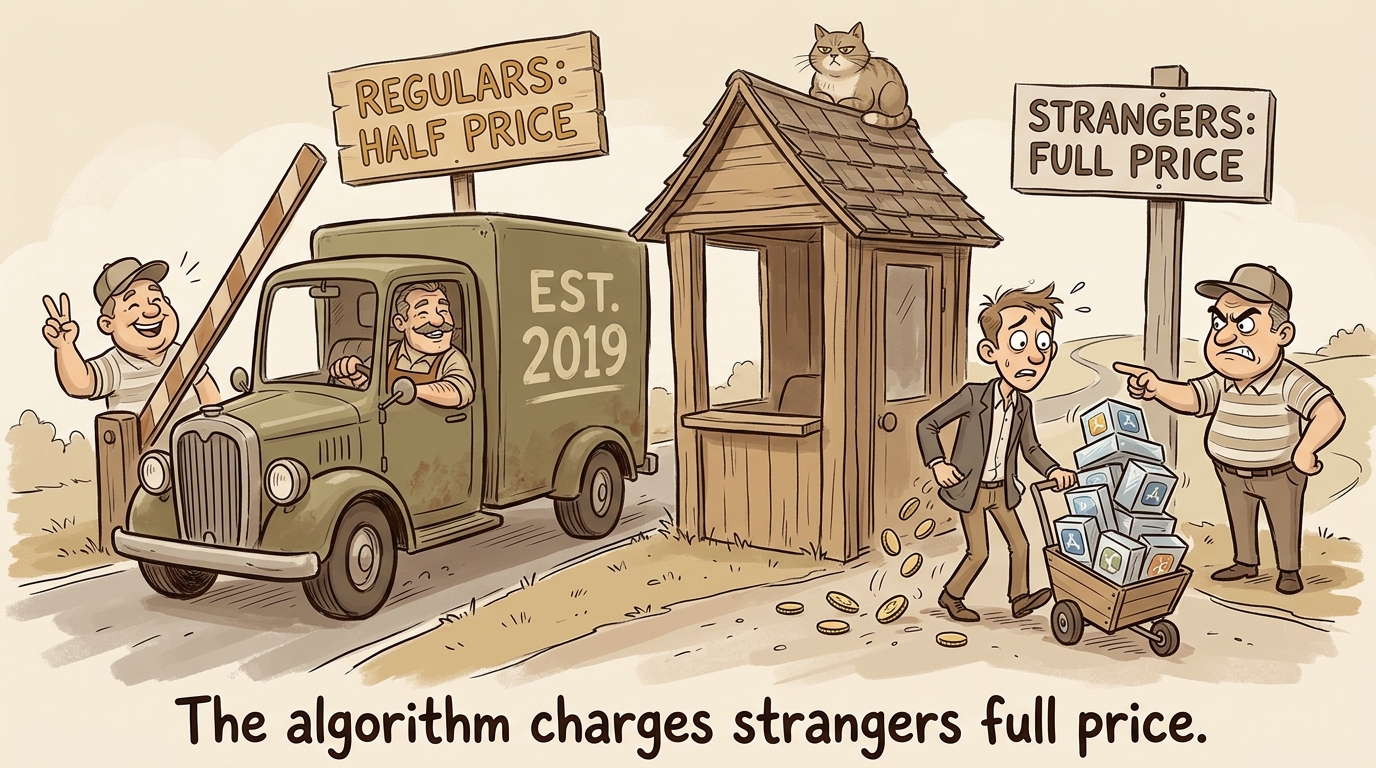
When a new app enters the market, it starts at zero relevance on every keyword. There’s no history for Shopify to draw from. The algorithm doesn’t know yet which merchants, searching for what, will install and keep the app. Until it finds out, it treats the new app like any unknown: full price for uncertain placement.
Running ads in that state is possible, but expensive. You’re paying to teach the algorithm something it doesn’t know yet. That’s a real cost, and it doesn’t stop being a cost just because your ad creative is good.
What Happens to Organic Rank When Ads Convert
Conversions on a specific keyword don’t only improve your paid position. They also lift your organic rank for that term. Install behavior is a signal Shopify uses across both channels. An ad campaign that generates real installs on a keyword is doing double duty, improving what you pay for tomorrow and how you rank for free.
This is why running ads before your listing converts is a double mistake. You spend more on paid and build no organic signal.
Why Is This a Sequencing Problem, Not a Bidding Problem?
The standard advice is to “optimize your listing” before running ads. That’s true but incomplete. What you’re actually trying to do is get the listing and social proof to a state where Shopify’s algorithm can learn from your campaigns instead of starting from scratch on every dollar you spend.
Concretely:
Get to at least ten reviews before turning on any paid campaign. Reviews aren’t just social proof for the merchant reading your listing. They’re a signal that other merchants installed and found the app useful enough to leave feedback. A listing with reviews converts at a different rate than one without, and that conversion difference is exactly what your relevance score is measuring.
Write your listing in the language merchants use to describe the problem. If merchants search “stop chargebacks” and your bullets say “fraud prevention engine,” click-through after they see your ad is lower. Lower click-through means fewer installs. Fewer installs means lower relevance. The listing copy problem and the relevance problem are the same problem.
Build your campaign while you’re getting reviews, so it’s ready to activate. Don’t wait until everything is perfect to start the setup. Pause the campaign, do the listing and review work, and activate when the pieces are in place.
When Running Ads Early Makes Sense
There is one exception. Running ads at very low budgets before your reviews are in place can be a data-collection move, not an acquisition move. A small discovery campaign, set up to lose most auctions on purpose, generates a search terms report showing what merchants actually typed when they had the problem your app solves. That vocabulary goes into your listing rewrite.
The goal of that campaign is the list of search terms, not installs or relevance. If you’re treating it as acquisition before your listing converts, you’re spending on a flywheel that can’t turn.
FAQ
What is Shopify’s relevance score in ads?
Shopify’s relevance score measures how often merchants install your app after seeing it in results for a specific keyword. It’s calculated per keyword, not per app overall. High relevance for a keyword means Shopify charges you less for that term and gives you better placement even when your bid isn’t the highest in the auction.
Why do my Shopify ad campaigns cost more than expected?
If your app is new or has low install rates for the keywords you’re targeting, your relevance score on those terms is low. Low relevance means you pay above the minimum cost per click to reach even a mid-position in results. The only way to lower that cost sustainably is to improve install rate for those terms, which requires fixing the listing and building reviews before scaling spend.
How many reviews do I need before running Shopify ads?
Ten reviews is a reasonable floor before activating paid campaigns. The goal isn’t a specific number. It’s having enough social proof that merchants who click through from an ad have a reason to install. A listing with zero reviews is asking a merchant to trust a stranger. Most won’t, which keeps your install rate low and your relevance score stuck. If installs have stalled for reasons that go beyond reviews, that’s a broader listing problem worth diagnosing before you touch the ad account.
Does running Shopify ads help organic ranking?
Yes. Installs generated by ads on a specific keyword contribute to your organic rank for that term. Shopify uses install behavior as a signal across both paid and organic results. A campaign that drives real installs is improving both channels simultaneously. A campaign that drives few installs because the listing doesn’t convert is teaching the algorithm nothing useful in either direction.
What’s the right sequence: listing, reviews, or ads first?
Listing first, then reviews, then ads. Fix your listing so it describes the problem in the language merchants actually search. Then get to at least ten reviews through direct outreach to beta users and early customers. Then run paid campaigns. If you want keyword data before you have reviews, run a discovery campaign at minimal spend and treat it as a data-collection exercise, not an acquisition attempt.
Key Takeaways
- Shopify’s relevance score is install-rate per keyword, not a generic quality rating. It determines your cost per click and your position in results.
- High relevance lets you underbid competitors and still rank higher. Low relevance means you overpay for poor placement.
- New apps start at zero relevance on every keyword, which is why early campaigns always underperform relative to established competitors.
- Installs from ads also improve your organic rank for that keyword. A campaign that doesn’t convert improves neither channel.
- The fix is a sequencing problem: listing first, then reviews, then ads. In that order.
Ohad Michaeli
Strategic positioning for Shopify apps
Want more insights like this?
Join Shopify app founders who get actionable positioning and optimization strategies.