Why Shopify Post-Purchase Upsell Apps Lose Installs to a Structural Mismatch
Why Shopify post-purchase upsell apps lose installs when the listing never names which surface the offer fires on, and how to diagnose and fix the gap.
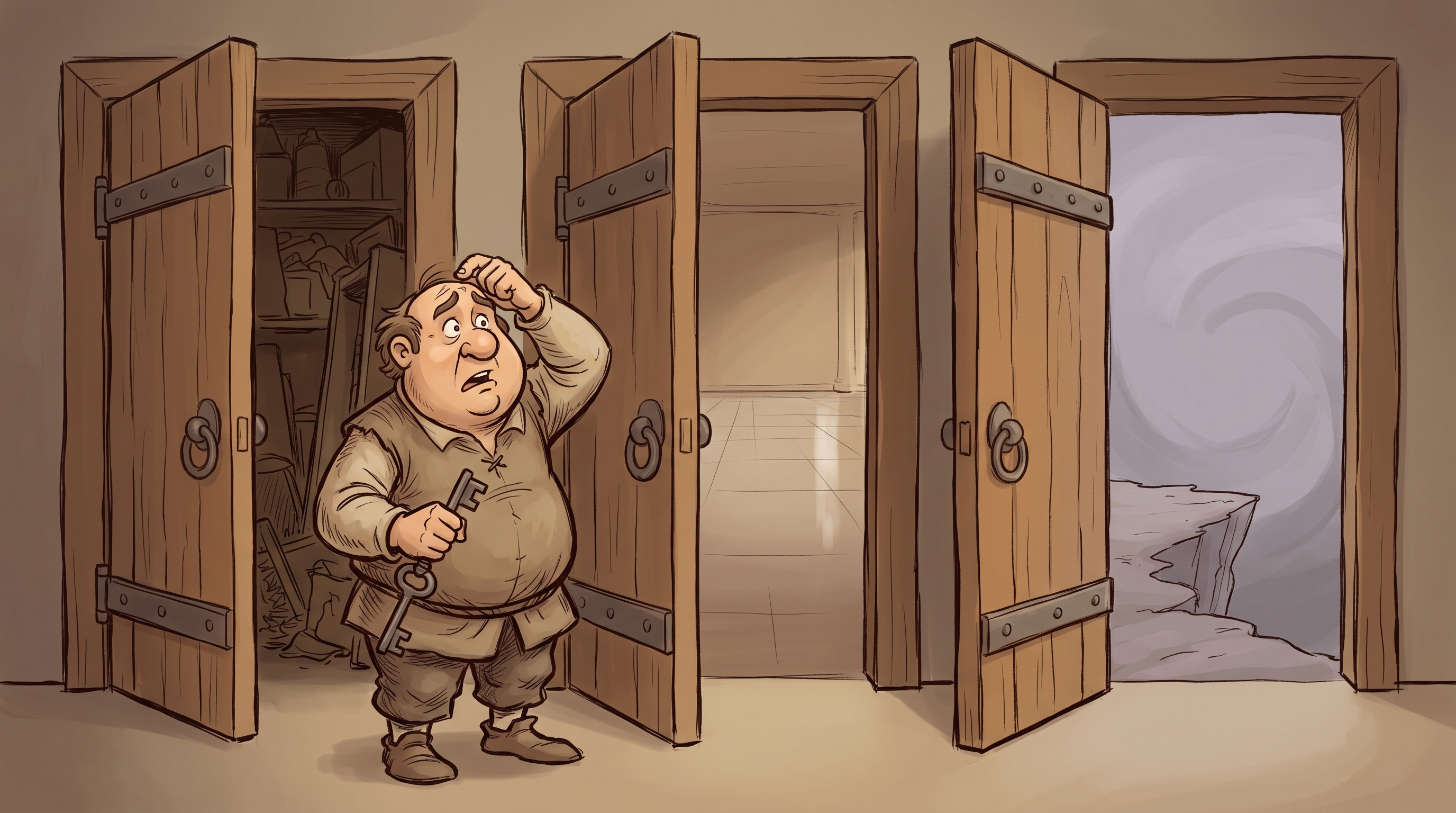
TL;DR: “Post-purchase upsell” describes offers on several different surfaces after Shopify’s checkout extensibility rollout: the dedicated post-purchase offer page (the step shown right after payment, before the order status page), the order status page, and offers inside checkout itself. They look identical in a search result but behave differently and have different eligibility. A listing that doesn’t name which surface it uses attracts merchants who install expecting one experience and find another. The second gap: “increase AOV” appears in every post-purchase listing with no reference point for what realistic lift looks like, and disappointed merchants who see less than they expected leave reviews that compound over time.
Who this is for: Shopify post-purchase upsell app founders whose organic install rate doesn’t reflect the demand in this category.
Core problem: Your listing probably doesn’t name which surface the offer fires on, or whether it’s built on Shopify’s current post-purchase extension framework. After the checkout extensibility rollout, that is the first thing merchants and the agencies evaluating apps for them need answered. A listing that doesn’t answer it produces installs from merchants who discover post-install that the offer fires at a different moment, or in a different place, than they expected.
What does App Store optimization mean for a post-purchase upsell app?
The post-purchase upsell category changed structurally when Shopify rolled out checkout extensibility. Offers can now fire on several surfaces, and they are not interchangeable. The dedicated post-purchase offer extension (the page shown immediately after payment, before the order status page) is available on all plans except Shopify Starter, though it requires the app to request post-purchase access from Shopify. The order status page is also available across plans except Starter. Offers placed inside the checkout steps themselves (information, shipping, payment) are a different surface that is restricted to Shopify Plus, and that surface belongs more to the checkout-extensions category than to post-purchase upsell.
This created a category where products that look identical in a search result behave differently in practice. A merchant who wants an offer on the dedicated post-purchase page and installs an order-status-page app gets a product that works but fires at a different moment. A merchant running a legacy post-purchase app may be on a method Shopify is moving away from. Each mismatch generates negative signals for the listing.
ASO for a post-purchase upsell app starts by naming the surface clearly enough that merchants self-select before they install.
Why do post-purchase upsell listings underperform in a high-demand category?
Three patterns show up across post-purchase upsell listings.
Pattern 1: The offer surface isn’t named.
“Post-purchase upsell for Shopify” describes offers on several surfaces. A post-purchase offer extension fires on the dedicated page shown immediately after payment, before the order status page, and is available on all plans except Starter (the app has to request post-purchase access from Shopify). An order status page offer fires on the confirmation page after the order is placed. An in-checkout offer fires during the checkout steps themselves and is restricted to Shopify Plus. These surfaces produce different merchant and customer experiences, and a merchant evaluating the app is choosing partly on which one they want. A listing that doesn’t name the surface forces the merchant to discover the difference through trial and error, which shows up as short-session installs and confused reviews.
Pattern 2: AOV improvement claims with no reference point.
“Increase your average order value” appears in every post-purchase upsell listing. Merchants don’t have a reference point for what realistic lift looks like with their product type. A merchant expecting a significant AOV lift from a post-purchase offer on a $30 product in a low-repeat-purchase category is going to be disappointed. Naming those conditions (high-consideration products, complementary accessories with clear utility, existing customer relationships) attracts merchants who will see results; a bare “increase AOV” attracts everyone, including the ones set up to be disappointed.
Pattern 3: App conflicts at the checkout and thank-you page not disclosed.
Subscription apps, loyalty apps, and other post-purchase tools also fire at checkout and on the thank-you page. When two apps compete for the same screen at the same moment, the result is unpredictable UX and suppressed conversion on both offers. The merchants most likely to run multiple apps at this layer are growth-stage merchants with full app stacks, and they look for compatibility information before installing. A listing that addresses known conflicts upfront attracts those merchants. A listing that doesn’t surfaces the conflicts in the support queue.
What does a well-optimized post-purchase upsell listing look like?
Post-purchase upsell apps with strong organic install rates tend to answer the surface question before the merchant has to ask it.
The title or subtitle names the surface. “Post-purchase upsell on the page after checkout, all plans except Starter” tells a merchant exactly where the offer fires and that their plan supports it. “One-click upsell on the order status page” tells a different merchant the offer lands on the confirmation page. Both are searchable, and both pre-empt the confused install from a merchant who expected a different surface. If the app needs Shopify’s post-purchase access approval to go live, saying so sets the right expectation before install.
The listing names the product conditions where offers work. A line in the description body that says “works best for stores with a clear accessory or complement to the primary product” or “designed for stores with an average order value above $50” sets expectations before the merchant decides. These aren’t filters that reduce installs; they’re signals that attract merchants set up to succeed.
Compatibility with other checkout-layer apps is addressed in the subtitle or opening copy. If the app coexists with popular subscription or loyalty apps, that’s a first-paragraph fact, not a documentation footnote. Agencies evaluating apps for their clients check this first.
The first screenshot shows the offer experience as the customer sees it. A post-purchase offer displayed on a real order confirmation page answers the merchant’s question (“what will my customers see?”) before they have to imagine it. A screenshot of the campaign configuration dashboard asks the merchant to imagine the output before they’ve seen the product.
Where do you start if post-purchase upsell organic installs are flat?
Start by searching “shopify post purchase upsell” and reading the listings that rank above yours. Note whether they name the offer surface. If they do and yours doesn’t, that’s the first thing to fix.
Then work through three questions.
First: Does your title or subtitle name which surface the offer fires on (the post-purchase page after checkout, the order status page, or in-checkout)? If it doesn’t, every merchant who installs does so without knowing where their offer will appear. After the checkout extensibility rollout, this is the most important piece of information in the listing.
Second: Does your listing name the product or merchant context where post-purchase offers actually work? If the description just says “increase AOV,” a merchant who doesn’t see results within 30 days blames the app rather than the mismatch between product type and offer format.
Third: Does your listing address compatibility with subscription apps, loyalty apps, or other checkout-layer tools? For growth-stage merchants with full app stacks, this is a pre-install check. If it’s not in the listing, those merchants move to the next option.
If X, then Y: If your post-purchase upsell app has a working product and merchants who are seeing results, but organic installs are flat or declining, the listing is almost certainly not naming the surface the offer fires on. Merchants who install expecting a different surface generate signal that appears to work against future installs. Naming the surface in the title or subtitle is the first thing to fix.
This is exactly what the App Growth Audit covers: a clear picture of where the listing is losing merchants before they reach the install button.
If you’re building a Shopify post-purchase upsell app and organic installs don’t reflect the demand in this category, the App Growth Audit is a direct diagnostic. You get a clear picture of where the listing is breaking down and what to prioritize, delivered in 6 to 7 business days.
Frequently asked questions
Merchants keep installing my app expecting a different offer experience. How do I fix that in the listing?
Name the surface the offer fires on, in the title or subtitle. A merchant has a mental picture of where their upsell appears: the dedicated page right after payment, the order status page, or inside checkout. If your listing doesn’t specify, merchants fill the gap with their own assumption and some of them are wrong, which produces the short-session install and the confused review. “Upsell on the post-purchase page, after checkout completes” removes the ambiguity before install.
Should I mention the checkout extensibility update in my listing?
Naming the surface your app uses is enough. “Post-purchase offer on the page after checkout, available on all plans except Starter” tells a merchant what they need to know without requiring them to understand the platform change behind it. Merchants searching today are already operating in the post-extensibility world; the listing just needs to tell them where their offer will appear and that their plan supports it.
How do I set realistic expectations for AOV lift without underselling?
Name the conditions rather than the outcome. “Works best when you have a natural complement or accessory to your primary product” is a condition statement that sets expectations and attracts merchants who have that complement. “Typically delivers stronger results for stores with AOV above $40” names a threshold without inventing a percentage. These statements are more useful to a merchant evaluating fit than a vague lift claim.
What should the first screenshot show?
The offer as the customer sees it on the order confirmation page or in the checkout post-purchase step. Show a real storefront, real product, and real offer structure. A merchant’s primary evaluation question is “what will my customers experience?” A screenshot of the campaign builder answers a secondary question first.
My app integrates with ReCharge. Should I name that in the listing?
Yes, in the subtitle or first feature bullet. Merchants running ReCharge specifically look for post-purchase upsell apps that are known to work alongside it. Naming the integration in a prominent position tells those merchants they’ve found what they’re looking for before they have to ask. Burying it in documentation means those merchants don’t find it during the listing evaluation.
Key takeaways
- Name the offer surface in the listing. Whether the offer fires on the dedicated post-purchase page, the order status page, or in-checkout (Plus only) is the first thing merchants and agencies need answered after the checkout extensibility rollout. A listing that doesn’t answer it generates installs from merchants who expected a different surface.
- “Increase AOV” without conditions attracts merchants set up to be disappointed. Naming the product type or merchant situation where post-purchase offers work converts better and produces better reviews than a generic outcome claim.
- Compatibility with subscription and loyalty apps belongs in the subtitle, not the documentation. Growth-stage merchants with full app stacks check for this before installing. If it’s not in the listing, they move on.
- The first screenshot should show the customer-facing offer, not the admin interface. Merchants evaluate post-purchase upsell apps by imagining what their customers will see. The first screenshot should answer that without requiring imagination.
- Surface mismatch is the largest source of short-session installs in this category. A merchant who installs expecting the offer on a different surface generates signal that appears to work against future installs. Naming the surface is the most direct fix.
More App Store Optimization guides
- Why Your Shopify Back-in-Stock App Isn't Getting Found (And What Your Listing Is Missing)
- Why Your Shopify Checkout Extension App Isn't Getting Found (And What Your Listing Is Missing)
- Why Your Shopify Countdown Timer App Isn't Getting Found (And What Your Listing Is Missing)
- Why Your Shopify Dropshipping App Isn't Getting Found (And What Your Listing Is Missing)
- Why Your Shopify Email & SMS App Isn't Getting Found (And What Your Listing Is Missing)
- Why Shopify Inventory Apps Attract the Wrong Merchant and Lose the Right One
- Why Shopify Live Chat Apps Lose Installs to an AI Promise They Cannot Keep
- Why Your Shopify Multi-Currency App Isn't Getting Found (And What Your Listing Is Missing)
- Why Your Shopify Pop-up App Isn't Getting Found (And What Your Listing Is Missing)
- Why Shopify Product Customization Apps Lose Installs Before the Preview Loads
- Why Your Shopify Product Search App Isn't Getting Found (And What Your Listing Is Missing)
- Why Shopify Returns Apps Lose Merchants Before the First Return Is Processed
- Why Your Shopify Shipping App Isn't Getting Found (And What Your Listing Is Missing)
- Why Your Shopify Social Proof App Isn't Getting Found (And What Your Listing Is Missing)
- Why Your Shopify Wholesale App Isn't Getting Found (And What Your Listing Is Missing)
- Why Your Shopify Wishlist App Isn't Getting Found (And What Your Listing Is Missing)
- Why Shopify Affiliate and Referral Apps Lose Installs to the Wrong Category
- Why Shopify Analytics Apps Struggle to Justify Their Install
- Why Shopify Bundle Apps Lose Installs to the Wrong Kind of Merchant
- Why Shopify Loyalty Apps Struggle to Rank for Their Own Category
- Why Your Shopify Reviews App Isn't Getting Found (And What Your Listing Is Missing)
- Why Shopify SEO Apps Lose Installs to the Problem They're Trying to Solve
- Why Shopify Subscription Apps Don't Get Discovered (And What the Listing Is Signaling)
- Why Shopify Upsell Apps Lose Organic Installs Before Merchants Click Install
Want a hands-on read on your own listing? See how we work together.
Ohad Michaeli
Strategic positioning for Shopify apps
Want more insights like this?
Join Shopify app founders who get actionable positioning and optimization strategies.